
Get the Navy Pilates app
Add Navy Pilates to your home screen so classes, plans and the shop are one tap away.
iPhone & iPad
You must use Safari — other browsers on iPhone can't add apps to the Home Screen.
1
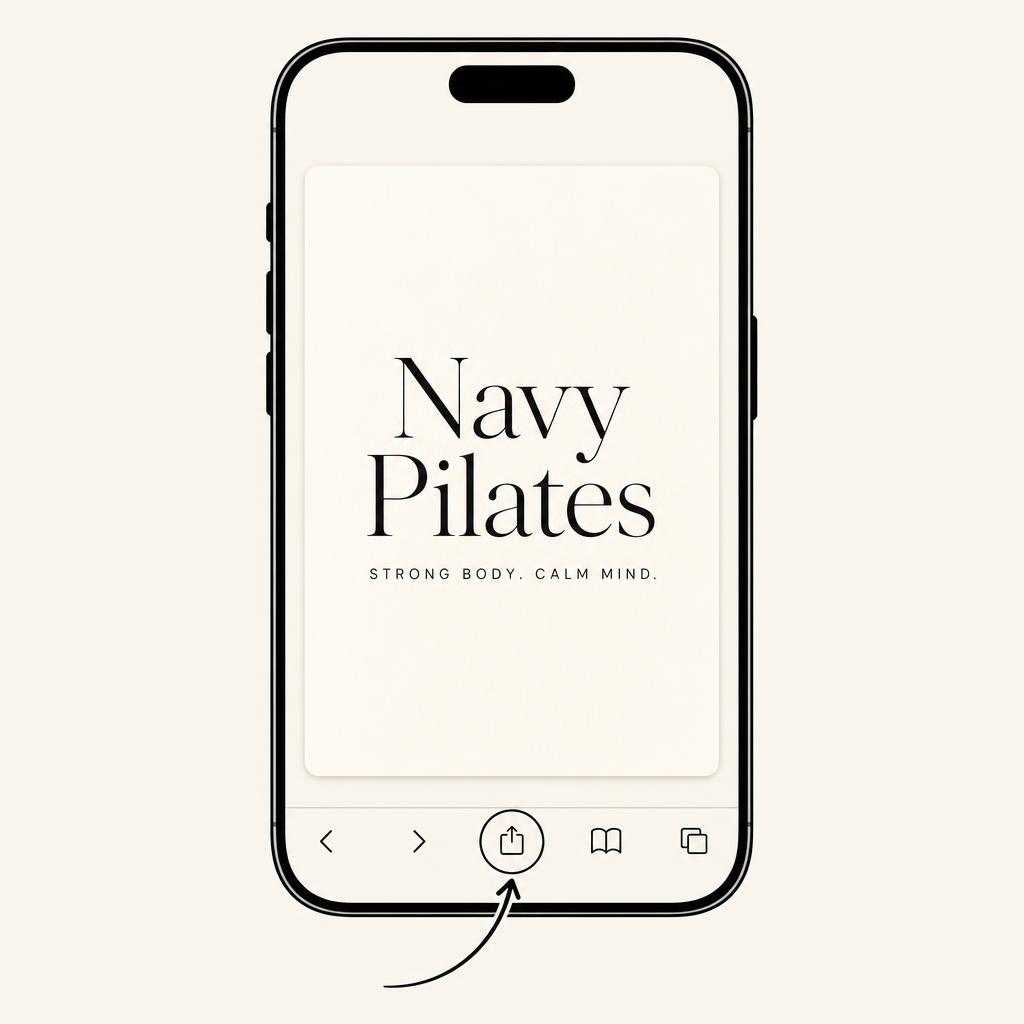
Open Safari and tap the Share icon
Visit navypilates.com in Safari, then tap the square with an arrow pointing up at the bottom of the screen.
2
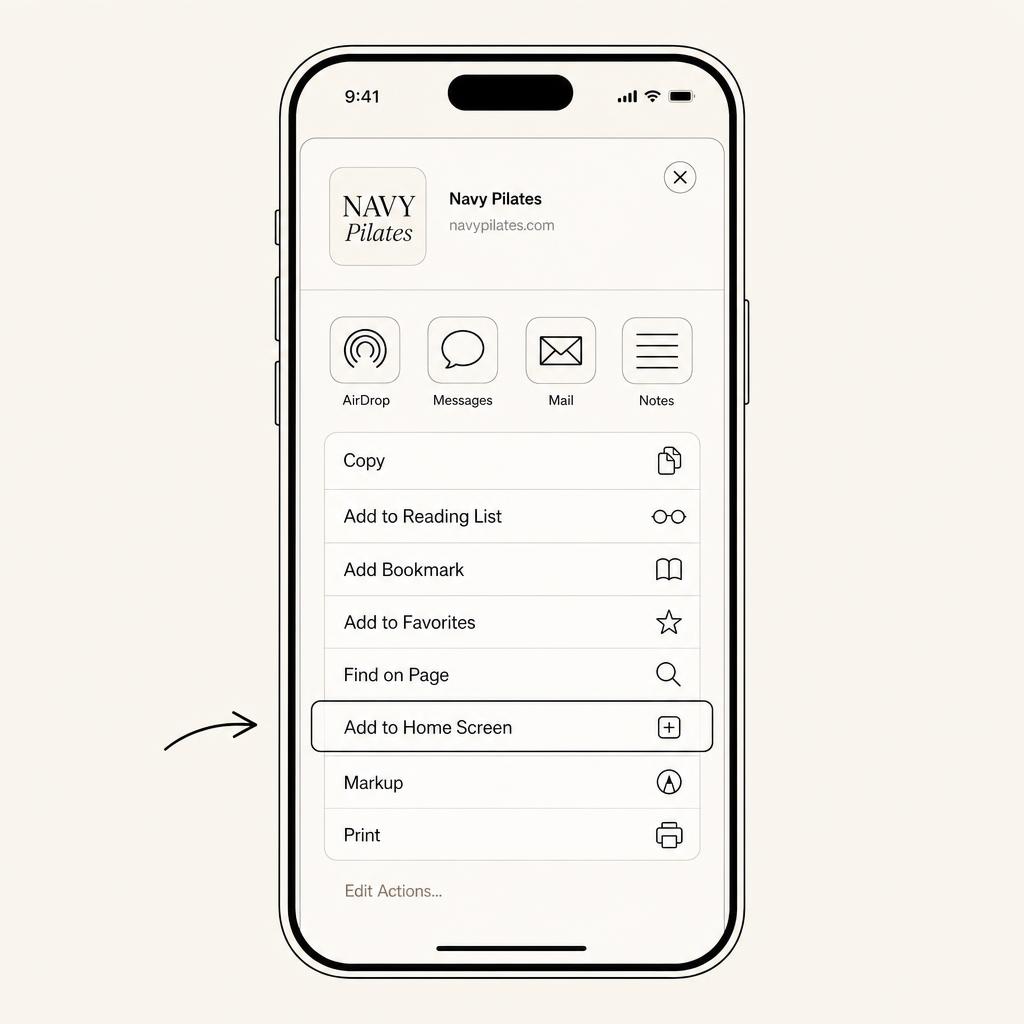
Tap 'Add to Home Screen'
Scroll the share sheet if you need to, then tap Add to Home Screen.
3
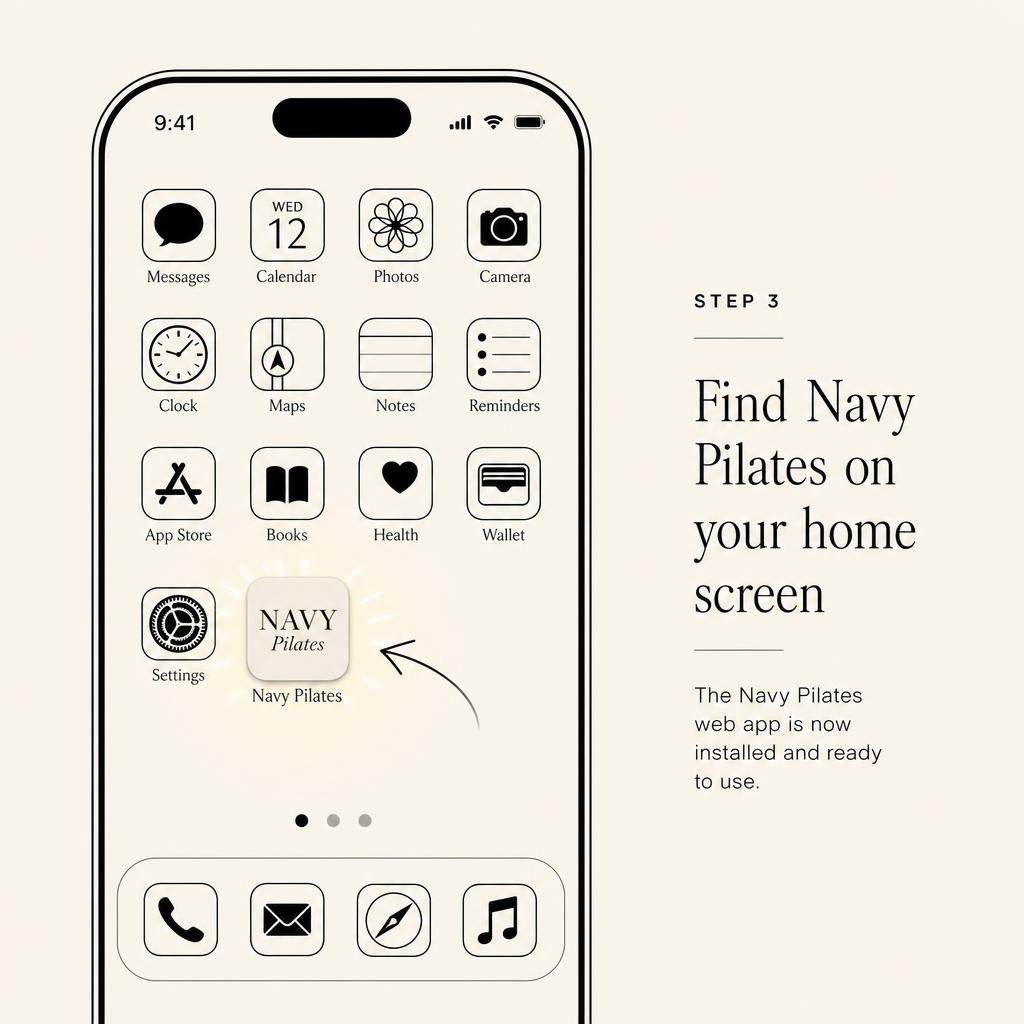
Tap Add
Tap Add in the top corner. The Navy Pilates icon will appear on your home screen like any other app.
Android
1
Open Chrome
Visit navypilates.com in Google Chrome.
2
Tap the menu
Tap the three dots in the top right, then choose Add to Home Screen or Install app.
3
Confirm
Tap Add or Install. The Navy Pilates icon will appear on your home screen.
No app store needed. This is a web app that works like a native app once it's on your home screen.